Panda Master: What It Is, What You Can Play
Panda Master is a social casino focused on fish tables and reel games. You can't sign up directly on this platform. Instead, you get access through a distributor account, and BitSpinWin is one of the platforms that provides this. Check out the page to learn more about the games in the lobby, the sign-up bonus, and how to tell a legitimate access point from a bad one.



What Is Panda Master?
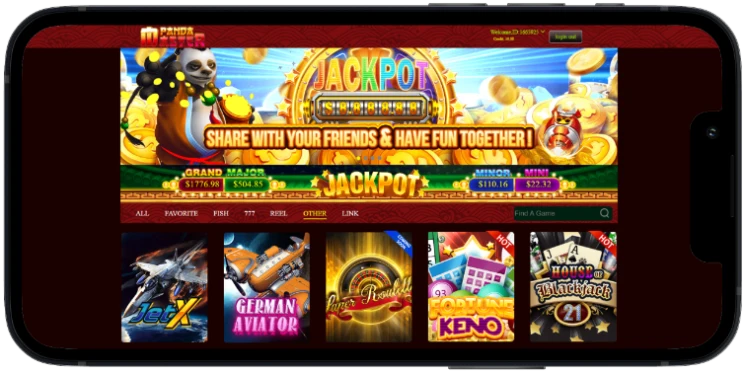
Panda Master is a social casino platform. You play the games right in your browser, and there's nothing to download to get started. You can access Panda Master online the same way on your phone, tablet, or desktop. Panda Master suits everyone who enjoys fish tables and reel-style slots. Both are played with a virtual coin balance. New players usually start with fish tables because the rules are easy to learn, while experienced slot players often go straight to the reels.
You can't sign up for Panda Master directly. Instead, you get access through a distributor account, and BitSpinWin is one of the platforms that offers this. Your account setup, deposits, and logins - everything is managed through BitSpinWin. Once you're signed in, you're in Panda Master's own game lobby. Is Panda Master a real casino? It offers real games with real mechanics, but it operates as a social casino. Fish tables reward accuracy, while reel games work like regular slot machines. Both use a virtual coin balance, and both are part of the same account once you fund it through BitSpinWin.

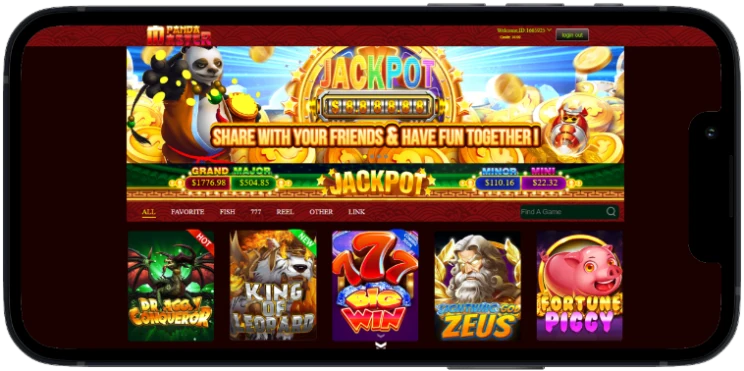
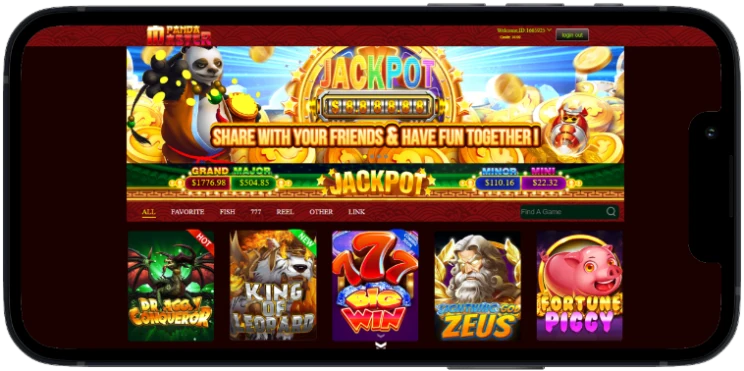
Panda Master Games
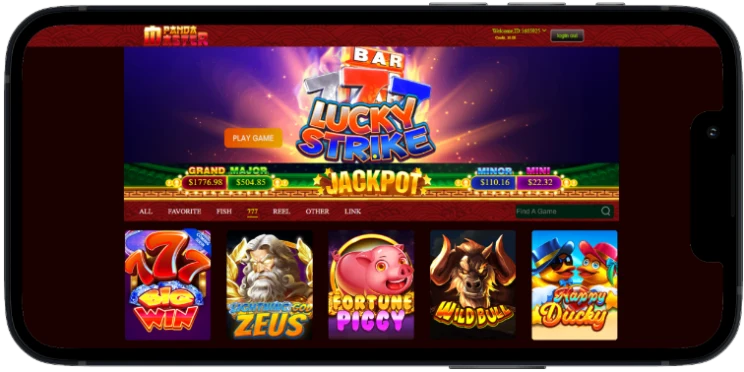
Panda Master packs in 28+ games across fish tables, reels, and table games, all running on virtual coins. Each type has its own rhythm: fish tables reward accuracy, reels come down to chance, and table games follow familiar card rules.
Fish Tables
The biggest part of the lobby, with 10+ titles including Fortune Jungle, Old Miner, and Double Wheels. Set your coin-per-shot value, aim, and fire. Bigger fish pay more but move slower; smaller ones pay less but dart around the edges. Fortune Jungle is a solid starting point for new players: fewer moving targets, simpler layout. Old Miner and Double Wheels use the same coin-per-spin mechanics with different visual themes, making them good for a quick session or a longer one once you're hooked.
Reel Games
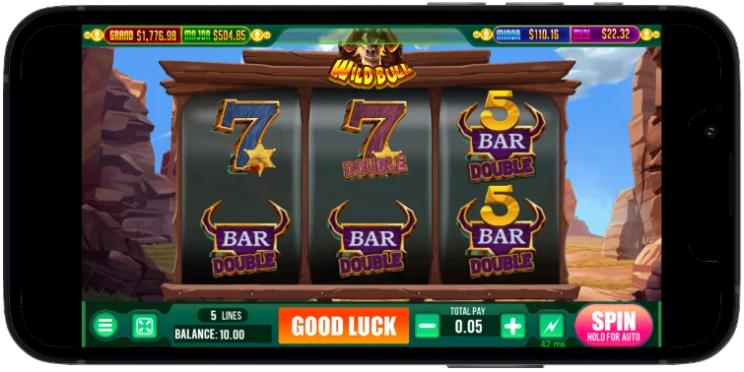
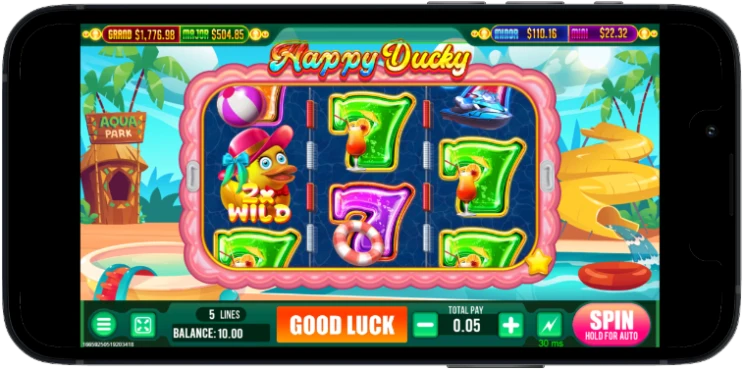
8+ linking slots and 8+ traditional reels, including Age of Cleopatra and Golden Poker. Pick a coin value, spin; each round is independent of the last. Age of Cleopatra brings a five-reel Egyptian theme; Golden Poker swaps standard slot icons for card symbols. Linking slots connect symbols across reels differently than traditional ones, changing how wins form, while traditional reels stick to the classic slot format most players already know.
Table Games
Rounding things out: one keno game and a blackjack table. Keno's a numbers draw: pick your numbers, and the platform matches them against a random pull. Blackjack runs standard rules, you against the platform, same coin balance as everywhere else on the platform.
How to Play Panda Master
To play Panda Master, you first need a BitSpinWin account. If you don’t already have one, you can create your BitSpinWin account easily. For registration, you just need a valid email address and a password. After you register, go to the Deposit section of your account and select Panda Master from the list. Fund your account, and once your deposit clears, BitSpinWin will email you your Panda Master username, password, and platform link.
How do you play Panda Master once your account is funded? Follow these steps:
- Register at BitSpinWin.
- Choose Panda Master from the Deposit section and fund your account.
- Check your email for your username, password, and platform link.
- Open the platform link and enter your credentials. Both fields are case-sensitive.
- Submit the form and wait for the lobby to load.
Copy and paste your credentials instead of typing them by hand, because most errors happen that way. Even one wrong character can send you back to the sign-in screen. Once you're set up, you can play online Panda Master entirely in a browser. There's nothing to install, and your account works on both your phone and your desktop. You can also access Panda Master online from a tablet using the same platform link. Your progress and coin balance carry over no matter which device you're using that day. If you switch from phone to desktop mid-session, your balance resumes exactly where you left off.
Panda Master Sign Up Bonus
New players receive a Panda Master sign-up bonus through BitSpinWin. The credit is added automatically once your registration and identity check are complete. This credit is a promotional play balance you use across BitSpinWin's platforms, including Panda Master. Standard wagering requirements must be met before you can cash out those winnings. You need at least $20 in your bonus wallet to transfer out. To verify your account, you'll usually need to submit a clear, current, and unedited copy of your ID. Review the sign-up bonus terms for the full conditions.
A first deposit bonus is unlocked once you fund your account, in addition to the welcome credit. Together, the two bonuses cover both your first move and your first deposit. Beyond the welcome bonus, BitSpinWin runs a deposit-based bonus ladder. Your first deposit carries a 50% match plus $10 in free play. Your second and third deposits each add a 20% match, worth $15 on the second and $20 on the third. Your fourth and fifth deposits each receive a 10% match. A referral bonus is also available outside the deposit ladder. If you refer a friend, you both get $10 once they sign up and make a deposit. Each of these stacks on top of the $20 welcome bonus rather than replacing it, so a new player can work through the full ladder using the same BitSpinWin account.
Is Panda Master Legit?
Here’s how you can check for yourself: always use the platform link from your BitSpinWin credential email when you sign in. A legitimate site will never ask for payment before you log in. The Panda Master casino runs as a social casino and uses a virtual coin balance that stays in your BitSpinWin account. We can confirm that BitSpinWin sends real, working credentials once your account is funded. If you have access issues, support is handled through BitSpinWin’s own channel.
We can't independently verify Panda Master's internal operations beyond what's visible through that access point. If a page asks for payment before you sign in, or requests your credentials through social media or messages, consider it a red flag. Using a password manager adds extra protection, since it won't auto-fill your login on a fake page like browser autofill might. Legality varies by state. Check your local rules before you play. This isn't legal advice.
Panda Master Login Help
If your Panda Master login isn't working, work through these in order:
- Copy and paste your credentials. If you type them by hand, that's usually where mismatches happen.
- Log out on any other device before signing in again.
- Clear your browser cache and cookies.
- Enable third-party cookies for the platform domain.
- Turn off any active VPN.
Most login problems are fixed by one of these five steps, especially clearing your cache or turning off a VPN. Clearing the cache forces the page to reload, which helps if an old session is stuck. If none of these fix it, account and access questions cover anything platform-specific. You can also contact BitSpinWin support directly using your registered email address. Let them know when the failed login happened and include any error message you saw. This information helps support find the cause quickly.
Ultra Panda vs Panda Master
Ultra Panda is set up much like Panda Master, with fish tables, reel games, and access through a BitSpinWin distributor account. The game libraries are separate, and each platform gives you its own credentials. The main differences are the theme and the list of games. The mechanics are the same: fish tables use a coin-per-shot system, and reel games use a coin value per spin, just with different names. If you enjoy Panda Master's lobby, Ultra Panda is worth trying next. The account setup works the same way: register on BitSpinWin, fund your account, and choose Ultra Panda from the platform list. You don't need a second registration to switch between the two. Your BitSpinWin account works for both, and you just fund the platform you want to play on that day.

Responsible Play
Set a coin budget and a session limit before you start playing Panda Master. Decide on both ahead of time, and stick to them no matter how your session goes. Take breaks between sessions, and treat any losing streak as a signal to stop. A budget works best when it's a set amount you're comfortable spending, separate from money for other things. Session limits are similar: choose a length before you start, and set a timer if it helps you stick to it. Outside support is available through the National Council on Problem Gambling if gaming ever stops feeling like entertainment.